Free File Recovery Software for Windows: Recuva
Advertisement
Every few months, a client calls in a panic because they deleted something important, formatted the wrong drive, or had a power cut mid-write.
Most of the time, the data isn't actually gone. Deleting a file just removes the filesystem's pointer to it. The bytes themselves sit on the disk untouched until something else explicitly overwrites them. That fact is the entire basis for data recovery.
Before you do anything
The biggest mistake people make is continuing to use the drive after they realize something is missing. Every new file written increases the chance of permanently overwriting the exact data you are trying to get back. So, strictly follow these steps:
- Stop using the affected drive immediately.
- If possible, physically pull it and plug it into a different machine as a secondary disk.
- Pick a target folder for recovered files on a completely different drive.
- Decide what file types you actually need before starting a scan. It narrows the results and speeds things up drastically.
Recuva
For Windows, my go-to free tool is Recuva. It is made by Piriform, the same company behind CCleaner.
It handles the usual suspects flawlessly: photos, Office documents, PDFs, even MP3s pulled off a dead iPod. There are two modes that matter:
- Quick scan: Finds straightforward deletions fast and successfully handles a good chunk of recovery cases.
- Deep scan: Digs through the raw disk sector by sector for files the quick scan missed. It takes much longer—sometimes hours on large drives—but it is absolutely worth running if the quick scan comes up empty.
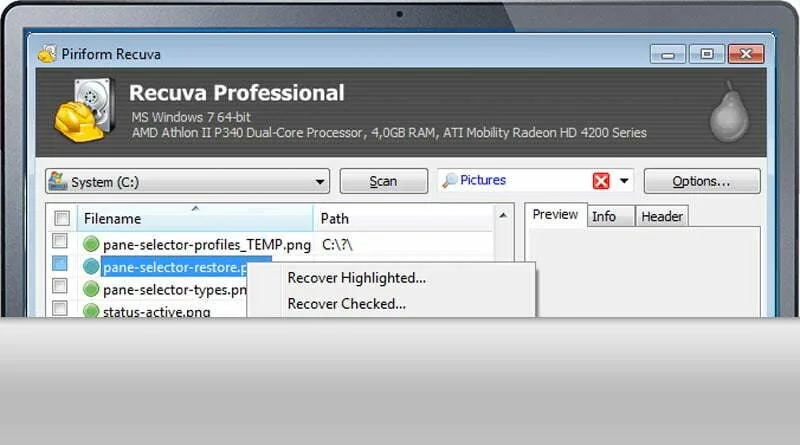
One feature people often don't expect: Recuva can also recover unsaved Word documents directly from temporary files if the application crashed before you hit save. That trick alone has saved several clients a full afternoon of rewriting.
A normal scan recovers files most of the time. A deep scan picks up almost everything that's left. Nothing recovers everything once a drive has been heavily overwritten, so the earlier you stop writing and start scanning, the better your odds.
Advertisement